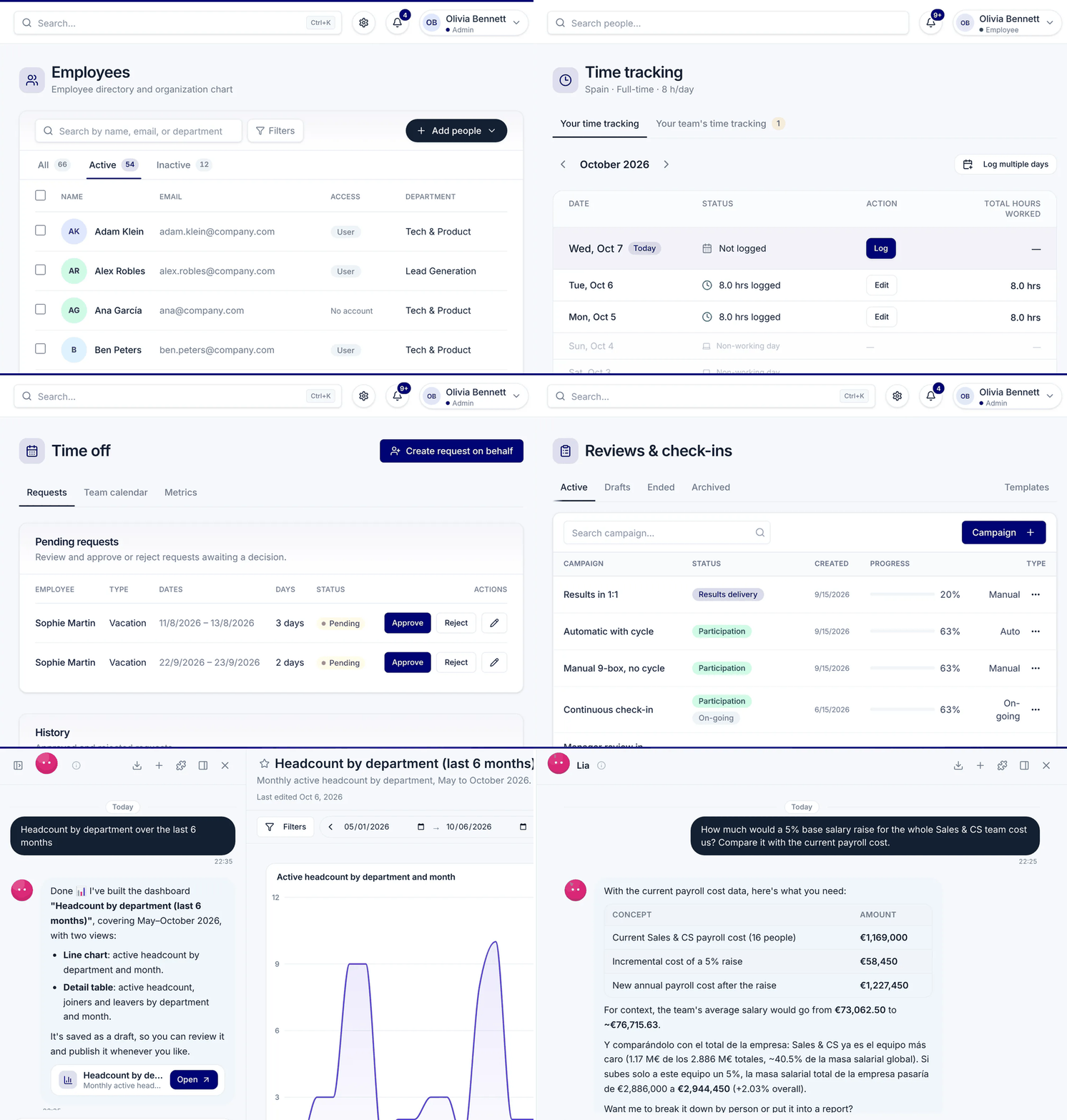
Ask about time off, reviews or candidates from the AI you already use, and make changes with your own permissions. You confirm every one.
What the demo shows, in Claude: the person adds Nailted as a connector with the company's address and signs in on Nailted, choosing the admin view with read and make changes. They ask who in Marketing is off next week. The agent uses Nailted's tools and answers: Marta I., Monday to Wednesday on vacation, and Hugo S., Friday, personal day; Marta also has a request waiting for 22 to 24 December. They ask it to approve the request. The agent shows a preview of the change, waits for the confirmation and only then applies it. Marta is notified.
What the demo shows, in ChatGPT: the person adds Nailted as a connector with the company's address and signs in on Nailted, choosing the admin view with read and make changes. They ask who in Marketing is off next week. The agent uses Nailted's tools and answers: Marta I., Monday to Wednesday on vacation, and Hugo S., Friday, personal day; Marta also has a request waiting for 22 to 24 December. They ask it to approve the request. The agent shows a preview of the change, waits for the confirmation and only then applies it. Marta is notified.
Three steps, from the AI your team already uses.
https://hris.nailted.com/api/mcp
If your company has its own Nailted address, you'll find it ready to copy in Settings › AI agents.
In Claude (web or desktop): Settings › Connectors › Add custom connector. Paste your address from step 1 and click Connect.
In ChatGPT: Settings › Apps & Connectors › Advanced settings, turn on developer mode and click Create. Paste your address from step 1 and choose to sign in as the authentication. Depending on your plan, a ChatGPT admin may need to turn it on first.
Run this in your terminal, then type /mcp inside Claude Code to sign in.
claude mcp add --transport http nailted-hris https://hris.nailted.com/api/mcpRun this in your terminal: it adds the server and opens the browser to sign in.
codex mcp add nailted-hris --url https://hris.nailted.com/api/mcp && codex mcp login nailted-hrisPaste this into ~/.cursor/mcp.json. Cursor asks you to sign in the first time.
{
  "mcpServers": {
    "nailted-hris": {
      "url": "https://hris.nailted.com/api/mcp"
    }
  }
}
Run this in your terminal and use it from Copilot chat in agent mode. VS Code asks you to sign in the first time.
code --add-mcp '{"name":"nailted-hris","type":"http","url":"https://hris.nailted.com/api/mcp"}'Run this in your terminal, then type /mcp auth nailted-hris inside Gemini CLI to sign in.
gemini mcp add --transport http nailted-hris https://hris.nailted.com/api/mcpAdd this to ~/.codeium/windsurf/mcp_config.json and refresh the MCP servers in Windsurf. It asks you to sign in the first time.
{
  "mcpServers": {
    "nailted-hris": {
      "serverUrl": "https://hris.nailted.com/api/mcp"
    }
  }
}
Using another one? Any AI assistant that supports connectors works: add your address, if your company allows that app.
The first time, Nailted opens so you can sign in. You choose the view and whether the agent may only look things up or also make changes.
Plain questions and everyday requests. The agent sees only what you can see in Nailted, and changes wait for your OK.
“Who in Marketing is off next week?”
ReadLooked up in Nailted, with your permissions
2 of 9 people off · 1 request waiting for you
“How many vacation days does Hugo have left?”
“Approve Marta's pending requests”
Change · you confirm“Fix Laura's clock-out from yesterday to 18:00”
Change · you confirmPrepared in Nailted, waiting for your OK
“Who hasn't clocked in this week?”
“Overtime by team in October”
“Which Q4 reviews are still pending?”
ReadLooked up in Nailted, with your permissions
+ 11 more
“Summarise Sarah's last review and her goals”
“Prepare my 1:1 with Leo”
“Move Ana to the interview stage”
Change · you confirmPrepared in Nailted, waiting for your OK
“Summarise the candidates for Product Designer”
“Which openings have had no news for two weeks?”
“What's left for Monday's new hires?”
ReadLooked up in Nailted, with your permissions
“Start Leo's onboarding for 3 March”
Change · you confirm“Which offboardings are still missing a laptop return?”
“Headcount by department”
ReadLooked up in Nailted, with your permissions
“Turnover in the last 12 months by team”
“Absence rate this quarter vs last”
“Add a T-shirt size field to profiles”
Change · you confirmPrepared in Nailted, waiting for your OK
“Create a 1-day 'moving house' leave type”
Change · you confirm“Set up the 2027 holiday calendar for Madrid”
Change · you confirmConnecting an agent doesn't open a back door. It goes through the same checks as Nailted itself.
The agent acts as the person who connected it. It sees and does only what that person can see and do in Nailted.
Before changing anything, the agent shows you exactly what it will do and waits for your OK. Or connect it as read only.
Bank details and ID documents never reach the agent. Pay, payroll and medical leave stay hidden unless an admin opens them for a specific connection.
Every question and every change, with who made it and through which agent. Changes appear in each person's history as theirs, made through the agent.
Choose who may connect agents (nobody, admins only or everyone) and which apps (any, verified only or a list), see the connected ones and disconnect any of them at once.
Your data stays in the EU, under GDPR. You sign in on Nailted: the agent never sees your password and only gets access you can revoke.
Claude, ChatGPT, Claude Code, Codex, Cursor, VS Code (Copilot), Gemini CLI and Windsurf, with steps above for each. Any other AI assistant that supports connectors works too, if your company allows that app.
Yes. You sign in on Nailted itself, so the agent never gets your password. Every request is checked against your permissions and the apps your company allows, and everything is recorded in the audit log. Data stays in the EU.
Only what you can see in Nailted, from the view you choose when connecting (admin or employee). People's contact details are hidden by default. Bank details and ID documents are never shared, and pay, payroll and medical leave only if an admin turns them on for that connection.
Only if you connect it with “read and make changes”. Even then, before each change it shows you what it will do and waits for you to confirm. The change is recorded as yours, made through the agent.
In Nailted, go to Settings › AI agents and click Disconnect. Access ends at once. Admins can disconnect anyone's agent, or turn agents off for the whole company.
It's available to every company on Nailted, with nothing to install. By default only admins can connect agents; an admin can open it to everyone in Settings › AI agents. Your agent's own subscription (Claude, ChatGPT…) is separate.
A demo tailored to what you want to solve. No commitment.